

 Español
 Português
 لالعربية
 Русский
 Bahasa Indonesia
 Français
 Türkçe
 Bahasa Melayu

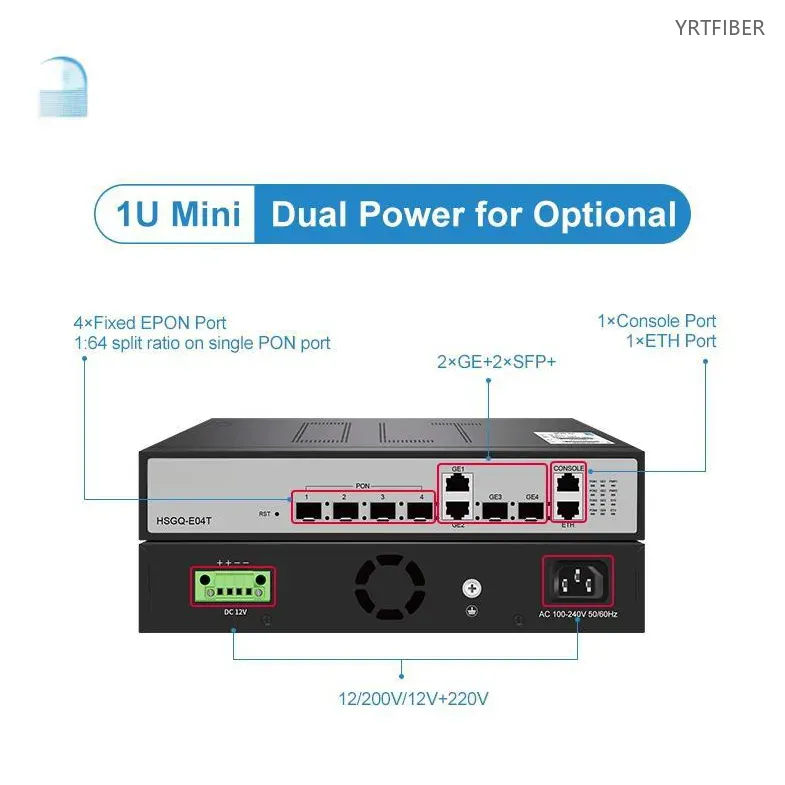
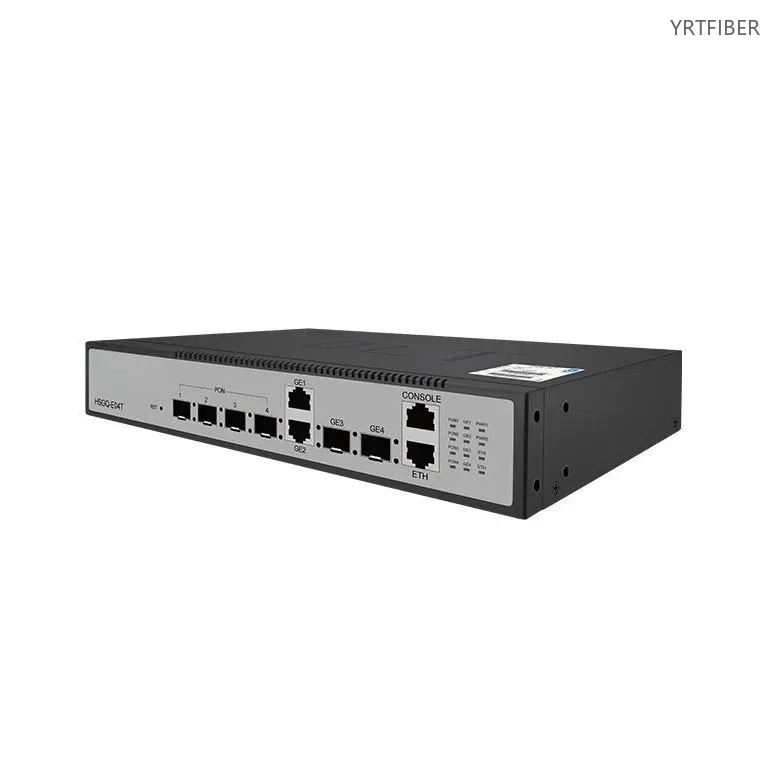
4-Port EPON OLT – Fiber Modem with WiFi 6 Router Integration
4×EPON ports, 1:64 split – up to 1.024 ONUs total.
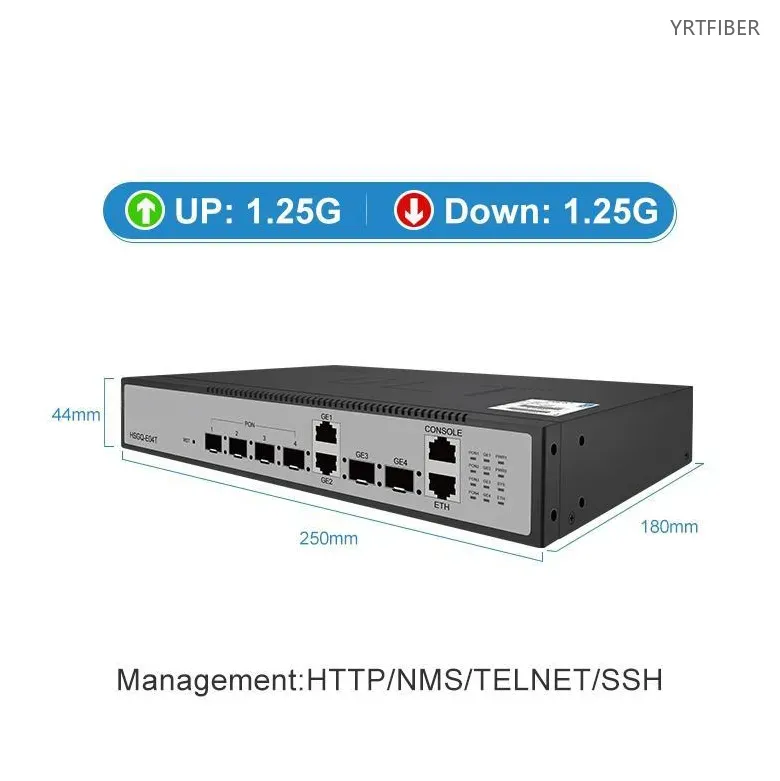
1.25G symmetric per port.
Built‑in WiFi 6 (2.4/5GHz, MU‑MIMO).
DBA with configurable QoS.
O&M: Web, SNMP, CLI for batch provisioning and monitoring.
High availability: dual power redundancy, link protection, uplink aggregation.
Supports SFU, HGU, MDU ONUs.
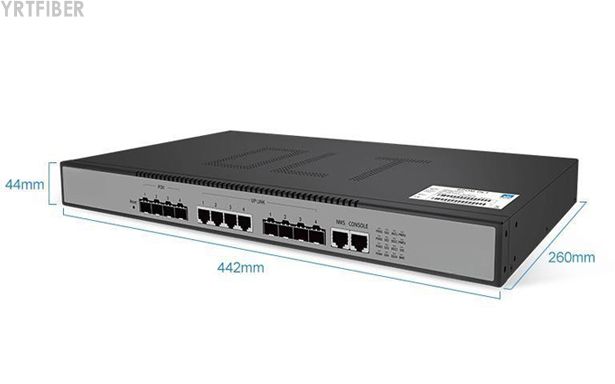
1U 19" rack‑mountable chassis.
What is a 4‑Port EPON OLT with WiFi 6?
The 4‑Port EPON OLT is an integrated fibre access platform that combines four independent EPON ports with a built‑in WiFi 6 router module, enabling converged fibre + wireless deployment for small to medium‑sized networks. It aggregates up to 1,024 ONUs across 20km per port, supports dynamic bandwidth allocation and QoS, and offers high‑reliability features such as dual‑power redundancy and link protection. Designed for community broadband, hotels, and campus networks, it delivers high‑bandwidth, low‑latency connectivity with unified web/SNMP/CLI management.
4-Port EPON OLT Specification parameters
- Specification parameters
- OPTICAL CHARACTERISTICS
Product Structure & Composition
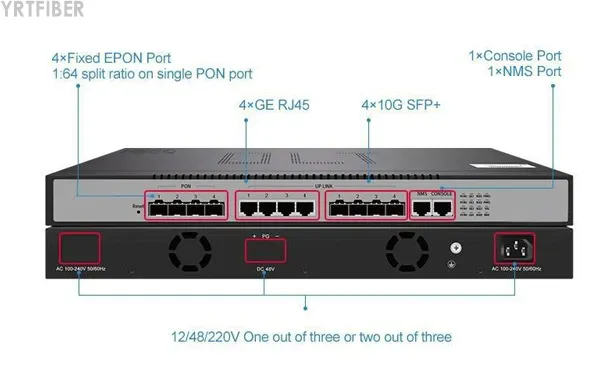
EPON Ports: 4×SC/PC ports supporting IEEE 802.3ah EPON, each with 1.25Gbps symmetric bandwidth and 1:64 split ratio. Typical reach up to 20km.
WiFi 6 Router Module: Integrated dual‑band (2.4GHz/5GHz) 802.11ax access point with MU‑MIMO and beamforming – delivers combined wireless speeds up to 1800Mbps.
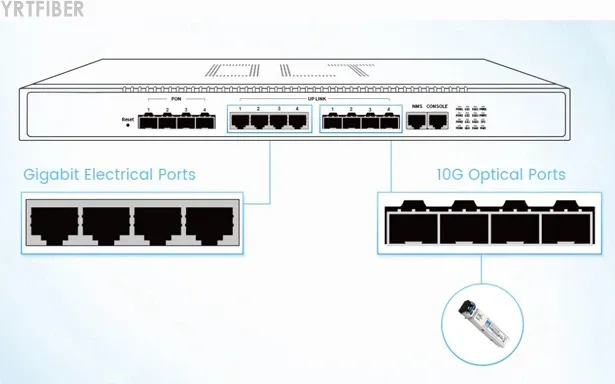
Uplink Interfaces: 4×GE RJ45 + 4×10G SFP+ uplink ports for flexible upstream connectivity.
Management: Console port (RJ45) and out‑of‑band Ethernet management port.
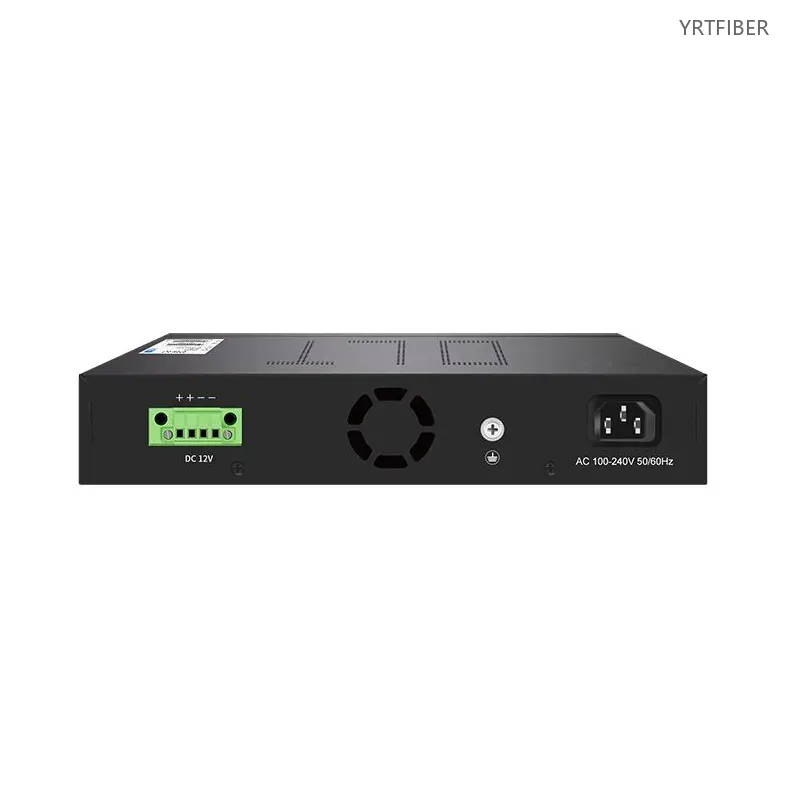
Power: Dual power slots supporting AC+AC or AC+DC redundant configurations.
Benefits of 4-Port EPON OLT
Converged Fibre + WiFi 6 Access
Built‑in WiFi 6 router eliminates the need for separate wireless CPE at the central site. MU‑MIMO and OFDMA enable efficient simultaneous connections for high‑density environments.
High‑Capacity EPON Aggregation
Four EPON ports support up to 1,024 ONUs with 1.25Gbps symmetric bandwidth per port. Each port can serve independent communities or building floors with isolated QoS policies.
Dynamic Bandwidth Allocation and QoS
DBA ensures fair and efficient bandwidth distribution across all connected ONUs. Configurable QoS prioritises critical applications – VoIP, video conferencing, and streaming.
Engineering Applications 4-Port EPON OLT
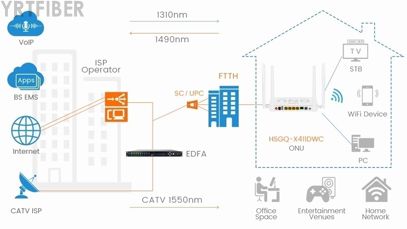
Community Broadband Networks
Deploy in residential communities to serve multiple buildings or floors via independent EPON ports with flexible split ratios.

Hotels and Multi‑Dwelling Units
Provide converged fibre + WiFi access across guest rooms, lobbies, and meeting areas – with per‑room or per‑floor bandwidth management.

Campus and Enterprise Networks
Ideal for campuses requiring high‑bandwidth fibre connectivity with centralised wireless management and policy‑based access control.
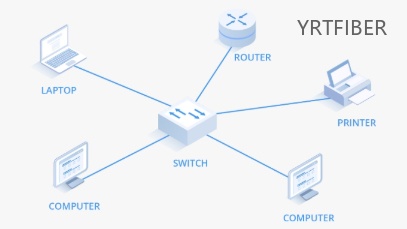
Branch Offices and Small ISPs
Compact 1U chassis fits small equipment rooms – perfect for cost‑effective network expansion with future‑proof WiFi 6 integration.
Shipping & Packaging
Product Comparison:
4‑Port EPON OLT (with WiFi 6) vs. 4‑Port EPON OLT (without WiFi)
| Feature | 4‑Port EPON OLT (with WiFi 6) | 4‑Port EPON OLT (without WiFi) |
|---|---|---|
| EPON Ports | 4 | 4 |
| Built‑in WiFi | WiFi 6 (2.4GHz/5GHz, MU‑MIMO) | None |
| Uplink Ports | 4×GE + 4×10G SFP+ | 4×GE + 4×10G SFP+ |
| Max ONUs | 1,024 | 1,024 |
| Redundant Power | Yes (AC+AC/AC+DC) | Yes (AC+AC/AC+DC) |
| Ideal For | Small ISPs, hotels, campuses needing integrated wireless | Networks with existing separate wireless infrastructure |
| Cost | Slightly higher | Lower |
4-Port EPON OLT Selection Guide
How to Choose the 4‑Port EPON OLT with WiFi 6
Select this OLT when you need converged fibre + wireless access with centralised management. The built‑in WiFi 6 eliminates separate AP controllers and reduces equipment costs.
Consider coverage requirements: Each EPON port serves up to 20km, supporting 1:64 splits. Plan splitter placements based on subscriber density.
For high availability, choose dual‑power redundancy. For management simplicity, leverage Web/SNMP/CLI for batch provisioning and monitoring.
Installation Instructions of 4‑Port EPON OLT (with WiFi 6)
Rack Mounting
Mount the device in a standard 19‑inch rack using the provided brackets. Ensure adequate clearance for airflow.
Power and Uplink Connections
Connect power cords (redundant if available). Connect uplink ports to core network switches or routers.
EPON Fibre Connections
Insert EPON SFP modules, connect fibres to optical splitters. Verify link status via management interface.
Initial Configuration
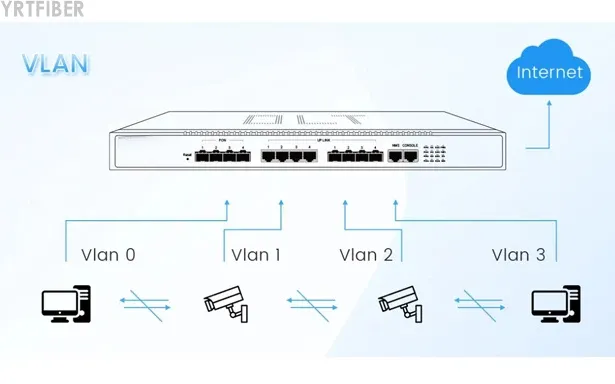
Access the Web interface, configure DBA profiles, VLANs, and QoS policies. Register ONUs and verify connectivity.
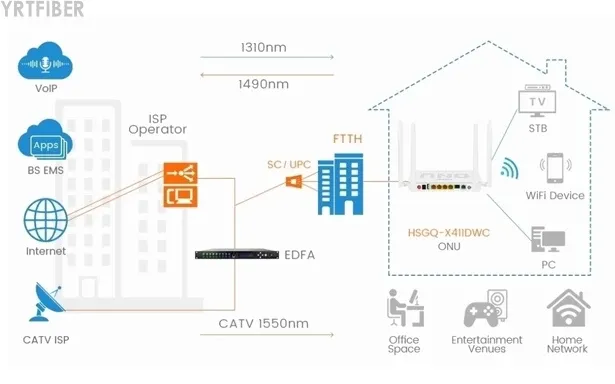
Download YRTFIBER Product Catalog
Factory Real Shot
Frequently Asked Questions & Quick Inquiry
4-Port EPON OLT FAQ
Does each EPON port support independent bandwidth control?
Yes. Ports can be configured with separate caps and QoS to prioritize services per area or application.
What are the benefits of the built-in WiFi 6 module?
It reduces extra routers, lowers latency, and enables seamless roaming and automatic channel optimization.
How does DBA improve network efficiency?
DBA dynamically adjusts upstream/downstream allocation by load, ensuring capacity during peak hours and saving resources off-peak.
Which scenarios is this OLT suitable for?
Ideal for SMB campuses, chain stores, and hotels—each port can serve a building or zone with unified WiFi coverage.
How is reliability ensured?
Through optional dual-power hot standby, fiber protection switching, and redundancy protocols for fast recovery.
Send Your Inquiry
Fill out the form below and we'll get back to you within 24 hours.


