

 Español
 Português
 لالعربية
 Русский
 Bahasa Indonesia
 Français
 Türkçe
 Bahasa Melayu

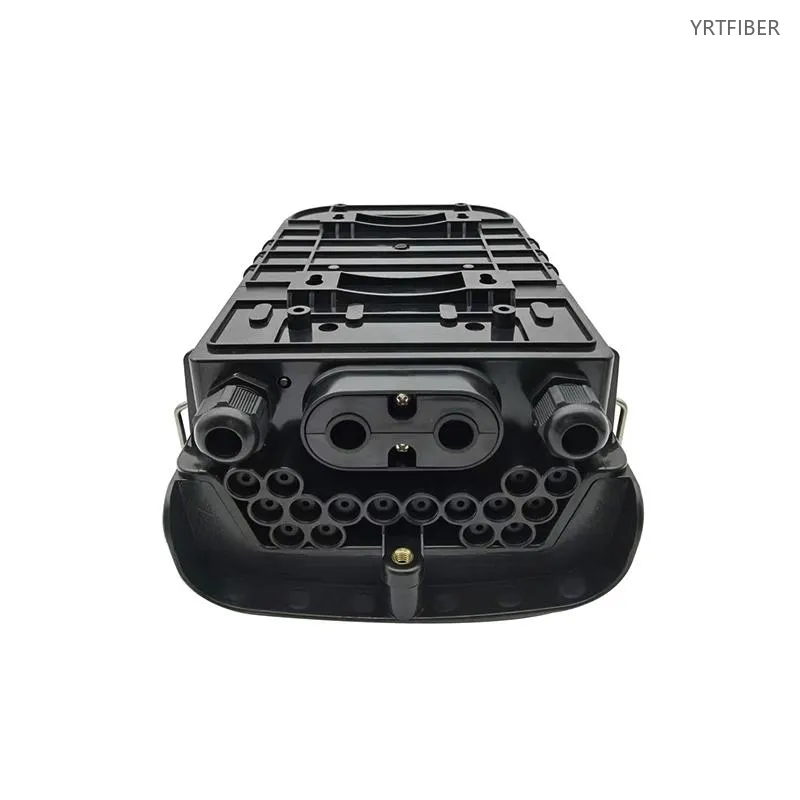
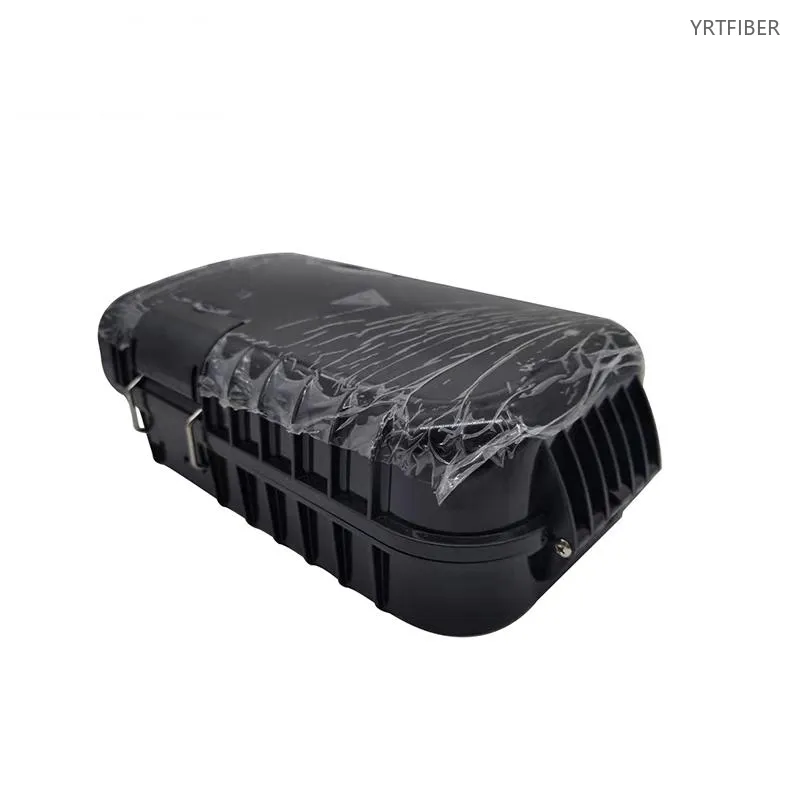
16-Port Fiber Distribution Box – Compact FTTH Enclosure for Wall or Pole Mounting
FTTH/FTTB, telecom, and distribution systems.
16 fiber ports for compact, small‑scale projects.
Integrates splicing, splitting, storage, and protection.
Connects feeder, distribution, and drop cables.
SC/LC adapters optional.
PLC splitter compatible.
Splice tray protects splices and bend radius.
Compact design for corridors, walls, tight spaces.
Clear routing for easy install and maintenance.
Wall or pole mount, indoor or outdoor.
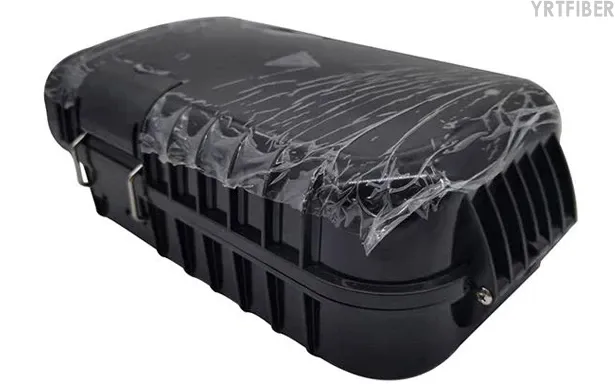
Durable against dust, moisture, and impacts.
Ideal for residences, small offices, shops, and ISP nodes.
What is a 16-Port Fiber Distribution Box?
A 16-Port Fiber Distribution Box is a compact fiber optic enclosure used to splice, protect, manage and distribute optical fibers in FTTH and telecom access networks. It provides up to 16 fiber output ports, making it suitable for small user groups, residential access points, small buildings and limited-space fiber distribution applications.
16-Port Fiber Distribution Box Specification parameters
- Specification parameters
- OPTICAL CHARACTERISTICS
| Name | Size | Weight (kg) | Packing Quantity (Qty) |
|---|---|---|---|
| 16 core holding pole type fiber distribution box | 290×180×123MM | 1.5KG | 8 |
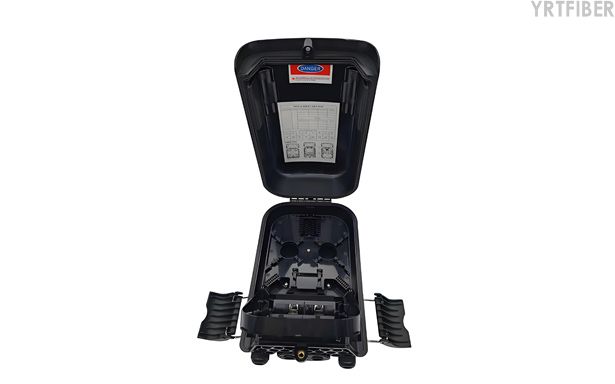
Product Structure & Composition
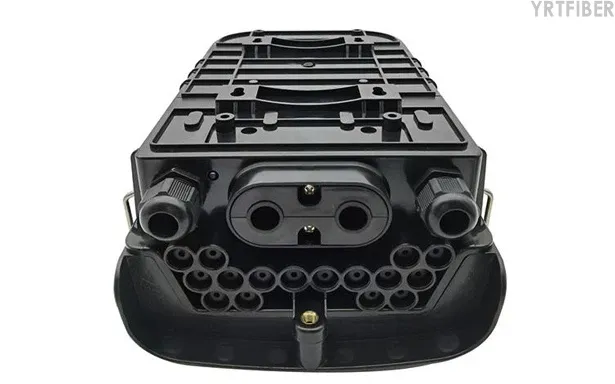
Outer Enclosure: Protects fibers from dust, moisture, and impact; available in ABS/PC/SMC/metal for indoor/outdoor.
Cable Entry and Fixing: Secures feeder and drop cables with clamps to reduce tension.
Splice Tray: Stores fusion splices, maintains bend radius, and organizes fiber routing.
Adapter Panel: Provides up to 16 ports, configurable with SC, LC, APC, or UPC types.
Fiber Routing and Storage: Guides and stores extra fiber neatly to prevent crossing and bending.
PLC Splitter Area: Supports PLC splitter installation to split one feeder into multiple subscriber lines for FTTH.
Benefits of 16-Port Fiber Distribution Box
Compact Design for Small Spaces / Reliable Protection
The 16‑port box is ideal for small‑capacity FTTH nodes (shops, villas, residences) and fits easily in tight locations like corridors, wall corners, or equipment rooms.
Durable enclosure shields fibers, splices, adapters, and splitters from dust, moisture, and mechanical stress, ensuring stable long‑term performance in FTTH/FTTB networks.
Integrated Functions and Flexible Configuration / Clear Routing for Easy Maintenance
Combines splicing, splitter mounting, adapter connection, and cable storage in one unit. Supports SC/LC adapters and optional PLC splitters to match different network designs and connector standards.Separate areas for cable entry, splicing, adapters, and storage reduce clutter, making installation, inspection, and future subscriber expansion straightforward.
Engineering Applications 16-Port Fiber Distribution Box
Shipping & Packaging
Product Comparison:
16-Port Fiber Distribution Box vs 24-Port Fiber Distribution Box
| Feature / Dimension | 16-Port Fiber Distribution Box | 24-Port Fiber Distribution Box |
|---|---|---|
| Port Capacity | Supports up to 16 fiber distribution ports. | Supports up to 24 fiber distribution ports. |
| Best Application | Suitable for small FTTH access points, villas, shops, small buildings and limited user groups. | Suitable for small and medium FTTH access points, residential buildings and small office networks. |
| Installation Space | More compact and easier to install in very limited spaces. | Slightly larger, with more capacity for additional subscriber connections. |
| Network Expansion | Suitable for projects with limited user numbers and moderate future expansion needs. | Provides more reserved capacity for future user growth. |
| Cable Management | Easier to manage when the number of drop cables is relatively small. | Better for managing more subscriber lines in one enclosure. |
| Splitter Configuration | Suitable for smaller PLC splitter configurations depending on internal design. | Can support larger splitter configurations depending on box structure. |
| Cost Position | More economical for small access projects with fewer users. | Higher initial cost than 16-port models but offers more capacity. |
| Maintenance | Simple maintenance due to lower port density and cleaner internal routing. | Still easy to maintain, but requires more careful cable routing as port density increases. |
| Recommended Use | Choose when compact size, lower cost and small-capacity fiber distribution are the priority. | Choose when the project needs more ports and stronger expansion capacity. |
16-Port Fiber Distribution Box Selection Guide
Choose the 16-Port Fiber Distribution Box for Small FTTH Access Points
If the project only needs to serve a small number of users, the 16-port fiber distribution box is a practical and cost-effective option. It provides enough fiber distribution capacity without taking up too much installation space.
Choose 16 Ports When Space Is Limited
For corridors, small equipment rooms, wall-mounted locations, shops and villa access points, a 16-port enclosure is easier to install and maintain. It is suitable when the available installation space is limited but fiber splicing and distribution functions are still required.
Choose 24 Ports for More Subscriber Capacity
If the project may need to connect more users in the future, or if the access point serves a medium-density building, a 24-port fiber distribution box may be more suitable. It provides more reserved ports for future expansion.
Confirm Adapter Type, Splitter Requirement and Installation Environment
Before choosing the product, confirm the required adapter type, such as SC, LC, SC/APC or SC/UPC. Also check whether PLC splitters need to be installed inside the box and whether the installation environment is indoor, outdoor, wall-mounted or pole-mounted.
Installation Instructions
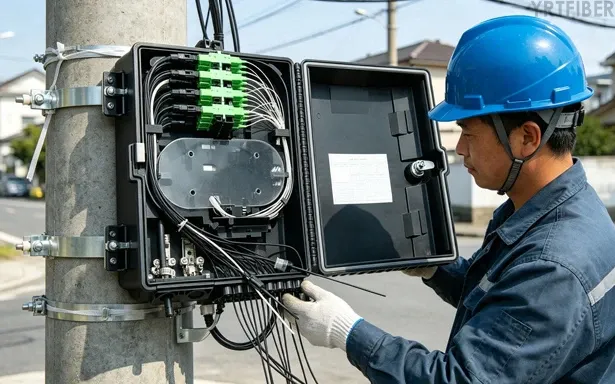
1. Preparation and Mounting
Check the box and accessories, choose a wall or pole position with sufficient space, and mount the enclosure securely.
2. Cable Entry and Securing
Route feeder and drop cables into the box through the entry ports, and fasten them with clamps to relieve tension.
3. Splicing, Routing, and Port Connection
Perform fusion splicing, place splices in the tray, route fibers with proper bend radius, then install adapters/splitters as needed and label all ports.
4. Testing and Closure
Test continuity and insertion loss; close and lock the box, ensuring proper sealing for outdoor use.
Download YRTFIBER Product Catalog
Factory Real Shot
Frequently Asked Questions & Quick Inquiry
16-Port Fiber Distribution Box FAQ
Q1: Can this box be installed outdoors?
Yes — it’s built with UV-resistant ABS material and meets IP65 standards for robust outdoor use.
Q2: What splitter options does it support?
It supports pre-installation of micro PLC splitters such as 1×8 or 1×16 for flexible network configurations.
Q3: Is this box easy to maintain?
Yes — the flip-up hinged panel and secure screw-lock design enable fast fiber access and maintenance.
Q4: How is expansion handled for future networks?
16 ports standard, with splice capacity for up to 24 fibers (expandable)
Q5: What environments is it best suited for?
Designed for both indoor and outdoor use—suitable for FTTH drops in residential buildings, telecom cabinets, and community deployments.
Send Your Inquiry
Fill out the form below and we'll get back to you within 24 hours.


