

 Español
 Português
 لالعربية
 Русский
 Bahasa Indonesia
 Français
 Türkçe
 Bahasa Melayu

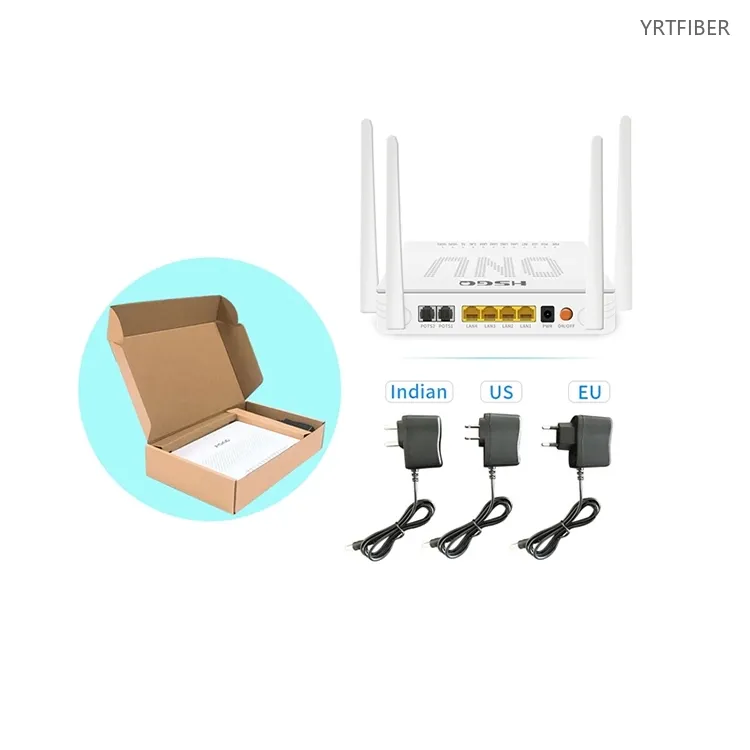
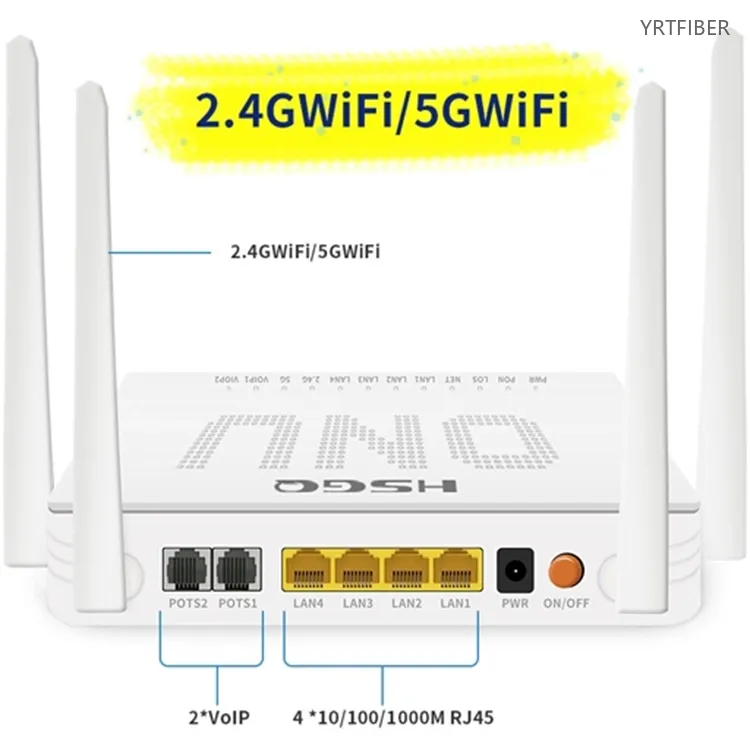
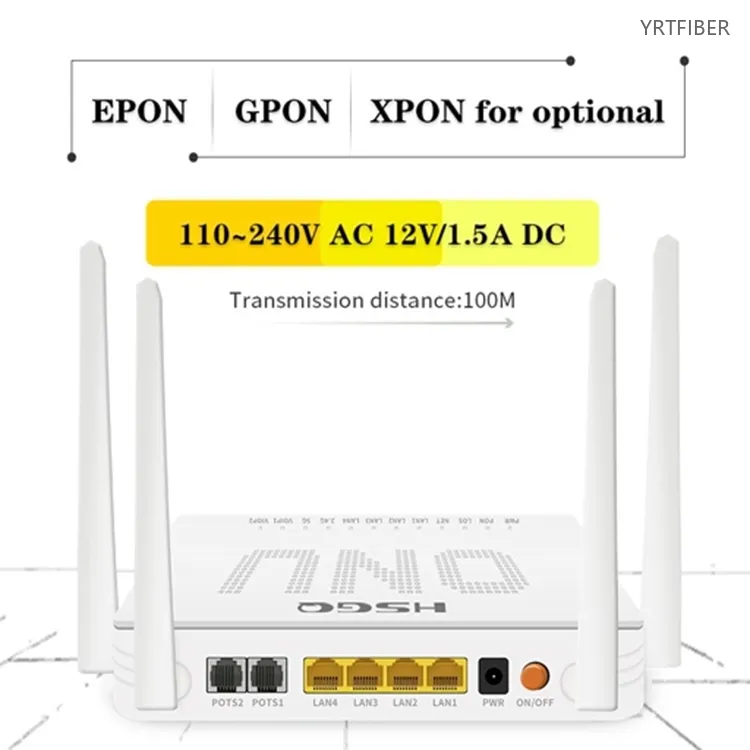
4GE + 2POTS + USB + AC1200 Dual-Band WiFi xPON ONU – One Box for Broadband, VoIP, and Wi-Fi 5
GPON/EPON dual-mode with auto-detection and seamless switching.
GPON: 2.488Gbps downstream / 1.244Gbps upstream; EPON: 1.25Gbps symmetric.
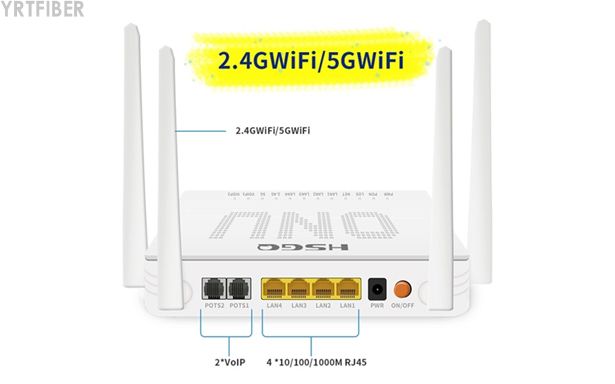
4×10/100/1000M Ethernet ports for high-speed wired connections.
2×POTS (RJ11) voice ports with SIP protocol for dual-line VoIP telephony.
1×USB 2.0 port for storage sharing, printer services, or firmware upgrades.
Dual-band Wi-Fi 5 (802.11ac) – 2.4GHz up to 300Mbps, 5.8GHz up to 867Mbps, combined AC1200.
Compact, desktop form factor with easy installation.
Low power consumption: ≤12W – energy-efficient design.
What is an AC1200 xPON ONU?
The AC1200 xPON ONU is a compact, multi-service fibre optic terminal that integrates GPON/EPON broadband access, dual-band Wi-Fi 5, two independent VoIP voice lines, and a USB port into a single desktop device. Designed for FTTH and FTTx deployments, it enables service providers to deliver triple-play services – high-speed Internet, digital voice, and wireless connectivity – over a single fibre connection. With four Gigabit Ethernet ports, AC1200 wireless coverage, and dual POTS interfaces, it is the ideal CPE solution for residential, multi-dwelling units, small offices, and ISP-managed networks.
AC1200 xPON ONU Specification parameters
- Specification parameters
- OPTICAL CHARACTERISTICS
| User interface | 4 10/100/1000M RJ45 port 2*POTS 1*USB 2.4GWiFi/5GWiFi |
| PON | EPON&GPON mode adaptive lnterface Type:SC-UPC/SC-APC Security: ONU authentication mechanism Network coverage radius: 20KM GPON: upstream 1.25Gbps /downstream 2.5Gbps Optical receive sensitivity:-7dBm~-28dBm Continuous light power: 0.5dBm~+5dBm EPON: upstream 1.25Gbps /downstream 1.25Gbps Optical receive sensitivity:-7dBm~-27dBm Continuous light power: 0dBm~4dBm |
| Ethernet | 4*10/100/ 1000Mauto-negotiation Full/half duplex mode RJ45 connector Car MDI/MDI-X 100m distance |
| Size | 160mm(L)×112mm(W)×32mm(H) |
| Environment | Operating temperature:0°C~60℃ Operating humidity:10%~85% non-condensing Storage temperature:-40℃~80℃ Storage humidity:5%~95% non-condensing |
| Power supply | 12V1.5A DC power interface size:2.1mm/5.5mm |
| Power Consumption | |
| POTS Port | 2*RJ11 Max 1km distance Balanced Ring, 55V RMS |
| Man | WEB/TELNET/TR069/ONUI/OAM |
Product Interfaces and Indicators Definitions
POWER
| Power status | On: The ONU is power on Off: The ONU is Power off |
PON
| ONU Register | On: Success to register to OLT Blinking: In process of registering to OLT Off: Fail to register to OLT |
LOS
| Optical Signals | On: Optical link lower than receiver sensitivity Off: Optical in normal |
LAN
| LAN Port status | On: Ethernet connection is normal Blinking: Data is being transmitted Off: Ethernet connection is not set up |
2.4G
| WIFI | On: Wi - Fi function Opens Blinking: Data is being transmitted Off: wi - Fi function closes |
5G
| WIFI | On: Wi - Fi function Opens Blinking: Data is being transmitted Off: wi - Fi function closes |
NET
| lnternet status | On: ONU can access internet Off: ONU can not access internet |
VOIP1
| VOIP1 Status | On: Voice account Registered Off: Voice account not Registered |
VOIP2
| VOIP2 Status | On: Voice account Registered Off: Voice account not Registered |
Product Structure & Composition
PON Interface: One SC/APC port for GPON/EPON fibre connection with auto-adaptation to the connected OLT. Supports up to 20km transmission distance.
Ethernet Ports: 4×RJ45 10/100/1000M auto-negotiation ports for wired devices – PCs, IPTV boxes, gaming consoles, and NAS.
Voice Ports: 2×RJ11 POTS ports with SIP protocol support for dual-line VoIP telephony – ideal for households or small offices requiring two independent phone lines.
Wi-Fi Module: Built-in 802.11ac dual-band (2.4GHz/5.8GHz) with 2×2 MIMO and internal/external antennas, delivering combined wireless speeds up to 1200Mbps.
USB Port: USB 2.0 for storage devices, printer sharing, or firmware upgrades.
Benefits of AC1200 xPON ONU
Integrated Triple‑Play Gateway
Combines broadband, dual‑line VoIP, and AC1200 dual‑band Wi‑Fi (2.4GHz/5GHz, WPA3) in one device – eliminates multiple CPEs; two POTS ports support independent phone numbers.
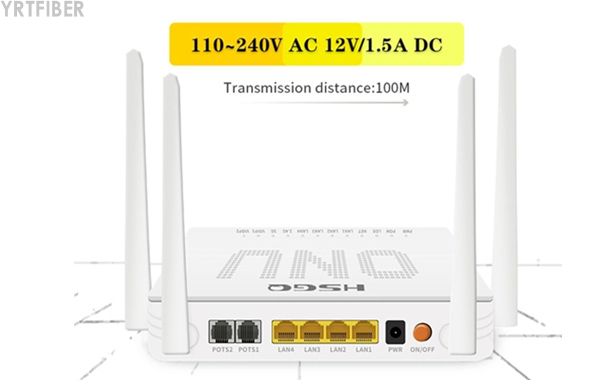
Connectivity Options
4×Gigabit Ethernet ports for high‑speed wired devices; USB port enables storage/print sharing or firmware upgrades via USB drive.
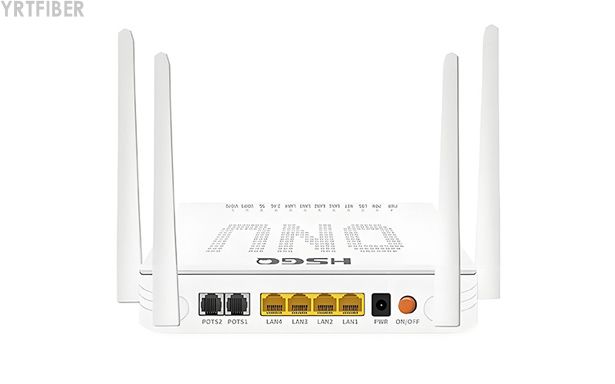
xPON Dual‑Mode and Remote Management
Auto‑adapts to GPON or EPON for seamless OLT compatibility (Huawei, ZTE, etc.). Supports OMCI, TR‑069. WEB, and Telnet for remote configuration, firmware updates, and troubleshooting – enabling zero‑touch provisioning and reducing OPEX.
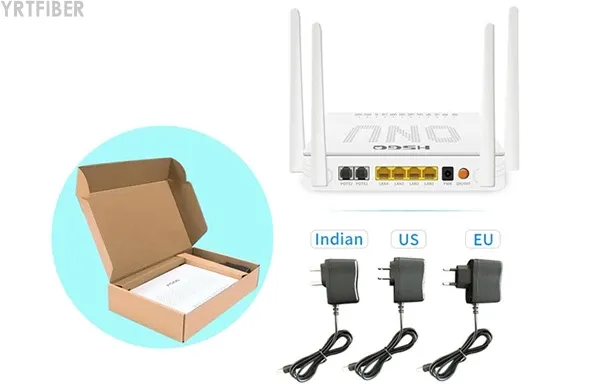
Engineering Applications AC1200 xPON ONU

Residential FTTH / FTTB
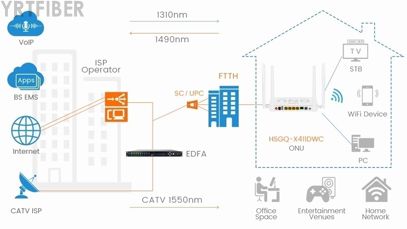
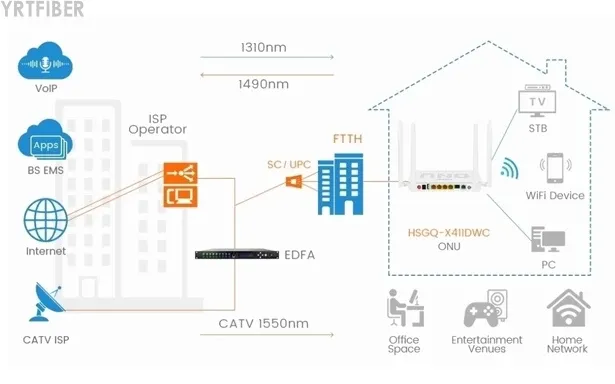
Provides a single-box solution for home broadband, cable TV, and VoIP – eliminating multiple devices and simplifying user experience. Ideal for apartment buildings and residential communities.
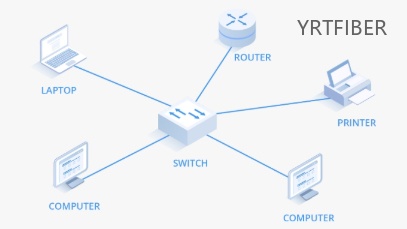
SOHO and Small Offices
Four Gigabit ports and dual-band Wi-Fi support multiple users and devices simultaneously. Perfect for small businesses requiring reliable Internet, phone, and TV services.
Cable Operator Multi-Service Networks
CATV RF output enables cable operators to deliver analogue TV alongside broadband services over a single fibre network. Ideal for hybrid fibre-coax (HFC) migration to FTTH.
Shipping & Packaging
Product Comparison:
AC1200 xPON ONU vs. AC1200 xPON ONU (Single Voice)
| Feature | AC1200 xPON ONU (Dual Voice) | AC1200 xPON ONU (Single Voice) |
|---|---|---|
| POTS Ports | 2×RJ11 | 1×RJ11 |
| VoIP Lines | 2 independent lines | 1 line |
| Ethernet Ports | 4×GE | 4×GE |
| USB Port | Yes (USB 2.0) | Yes (USB 2.0) |
| Wi-Fi | AC1200 dual-band | AC1200 dual-band |
| Ideal For | Households/SMBs needing 2 phone lines | Standard residential with 1 phone line |
| Cost | Slightly higher | Lower |
AC1200 xPON ONU vs. AC1200 xPON ONU (No Voice)
| Feature | AC1200 xPON ONU (Dual Voice) | AC1200 xPON ONU (No Voice) |
|---|---|---|
| POTS Ports | 2×RJ11 | None |
| Ethernet Ports | 4×GE | 4×GE |
| USB Port | Yes | Yes |
| Wi-Fi | AC1200 dual-band | AC1200 dual-band |
| Ideal For | Triple-play with VoIP | Data-only or data+Wi-Fi deployments |
| Cost | Moderate | Lower |
AC1200 xPON ONU Selection Guide
How to Choose the AC1200 xPON ONU
Select this ONU when you need a cost-effective triple-play gateway with dual voice lines for residential or SOHO deployments. It is ideal for service providers rolling out FTTH with VoIP and high-speed Wi-Fi.Consider the voice requirements: Choose the dual-voice model if two independent phone lines are needed. For single-line requirements, consider the single-voice variant.Verify OLT compatibility: The xPON auto-adaptation feature ensures compatibility with both GPON and EPON OLTs from major brands.For data-only or data+Wi-Fi deployments without voice, consider the no-voice variant for cost savings.
Installation Instructions of AC1200 xPON ONU
Fibre Connection
Connect the fibre optic cable to the SC/APC PON port. Ensure the connector is clean and properly seated.
Power On and Initialisation
Connect the 12V DC power adapter. Wait for the PON LED to stabilise – indicating successful registration with the OLT.
Wi-Fi and Voice Configuration
Access the WEB interface (default IP: 192.168.1.1). Set SSID and password for both bands. Configure SIP parameters for POTS ports 1 and 2.
USB and Peripheral Setup
Connect USB storage or printer to the USB port. Access shared files via network or configure print server settings via the WEB interface.
Download YRTFIBER Product Catalog
Factory Real Shot
Frequently Asked Questions & Quick Inquiry
AC1200 xPON ONU FAQ
What services does this ONU support?
Data, voice (2 POTS), USB peripherals, and dual-band WiFi.
Is it EPON and GPON compatible?
Yes—auto-detects and switches between EPON and GPON modes.
What WiFi speeds are supported?
Up to 300 Mbps (2.4 GHz) + 867 Mbps (5.8 GHz), total AC1200.
Is USB for storage or media sharing?
Yes—supports USB peripherals such as storage or printers.
How is the ONU managed?
Via OMCI/TR-069 for remote provisioning and monitoring.
What is the maximum wireless speed?
Combined speeds up to 1200Mbps – 300Mbps on 2.4GHz and 867Mbps on 5.8GHz.
Does this ONU support both GPON and EPON?
Yes. It features xPON dual-mode with auto-detection and seamless switching.
How many voice lines does it support?
Two independent VoIP lines via 2×RJ11 POTS ports with SIP protocol.
Can I manage this device remotely?
Yes. Supports OMCI, TR-069, WEB, and Telnet for remote configuration and maintenance.
What is the USB port used for?
USB 2.0 supports storage sharing, printer services, and firmware upgrades via USB drive.
What is the power consumption?
Typically ≤12W – energy-efficient design.
Is this ONU compatible with my existing OLT?
Yes, it auto-adapts to both GPON and EPON modes, ensuring compatibility with most major OLT brands.
How many devices can connect via Wi-Fi?
Dual-band Wi-Fi with 2×2 MIMO supports multiple simultaneous connections – suitable for typical households with 15‑25 devices.
Send Your Inquiry
Fill out the form below and we'll get back to you within 24 hours.


